
Built with Doctors, for Doctors
A simple EMR for private clinics in the Philippines
SOAP notes, e-Rx, medcerts, lab requests and patient queueing — set up for how your specialty actually works. Used in clinic every day since 2016.
No contract. No setup fee. You get your own instance, set up personally.
One EMR, set up for your specialty
Every clinic gets the same core record. What gets added on top depends on your specialty — and it is ready before your first log in.
Pediatric clinics
The immunization record sits right beside the chart, and growth measurements are part of every visit instead of a separate record book.
In every build: patient queue, visits, vitals and anthropometrics, your choice of SOAP or HPI notes, file uploads.
Turned on for this build
- Immunization schedule showing which doses are done and which are due
- Printable vaccination record for school or travel
- Guardian details on the patient profile
- Growth charts following a child’s measurements and vaccination record over time Coming soon
Rheumatology clinics
Mark joint involvement straight on the rheumatoid man, and see repeat labs line up across visits instead of flipping through past results.
In every build: patient queue, visits, vitals and anthropometrics, your choice of SOAP or HPI notes, file uploads.
Turned on for this build
- Rheumatoid man for marking joint involvement
- Lab trends with reference ranges, one column per result
- Past medical and social and family history fields
- Treatment plan certificates
Oncology clinics
Mark findings where you see them, and follow the numbers that matter across the whole course of treatment.
In every build: patient queue, visits, vitals and anthropometrics, your choice of SOAP or HPI notes, file uploads.
Turned on for this build
- Diagram annotation with numbered markers and notes
- Lab trends with reference ranges, one column per result
- Treatment plan certificates with impression and follow-up
- Full history fields on every visit
Internal medicine clinics
Keep chronic disease markers visible from one visit to the next, and issue clearances without leaving the patient record.
In every build: patient queue, visits, vitals and anthropometrics, your choice of SOAP or HPI notes, file uploads.
Turned on for this build
- Lab trends with reference ranges, one column per result
- Past medical and social and family history fields
- Surgical clearance certificates with risk stratification
- PWD certificates with NCDA category
General practice clinics
The standard build — everything a busy walk-in clinic needs to drop the paper logbook, and nothing extra.
In every build: patient queue, visits, vitals and anthropometrics, your choice of SOAP or HPI notes, file uploads.
Turned on for this build
- Patient queue for walk-ins and follow-ups
- SOAP notes with vitals and anthropometrics
- e-Rx with your own drug catalog
- Medcerts, including PWD and fit-to-work
Running a one-doctor clinic? See how it fits a solo practice.
Trusted by doctors across the Philippines
DokTema has been part of my clinic’s daily workflow for years. It doesn’t try to change how we do things. It just makes everything smoother. It is fast, simple, and reliable.
Happened upon DokTema as I was trying to choose between several EMRs. It’s the smoothest one by far. The developers are very accommodating and understand the needs of the healthcare provider.
Its interface is user friendly and is customizable to meet its user’s preferences making it a breeze to operate. Premium quality that doesn’t break the bank.
The whole visit on one screen
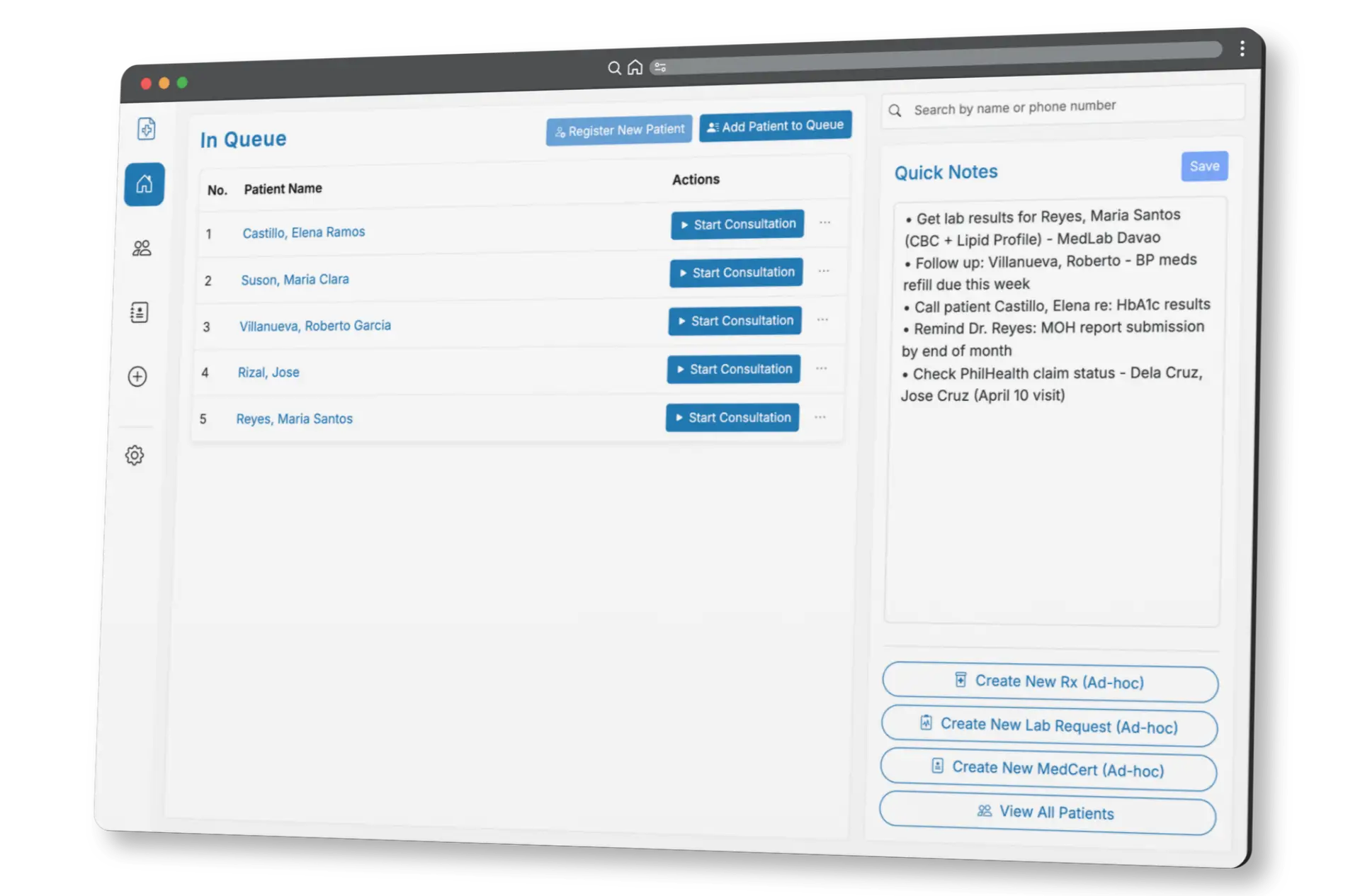
- Add to the queue Your secretary adds walk-ins and follow-ups from any device, and marks each one face-to-face or online.
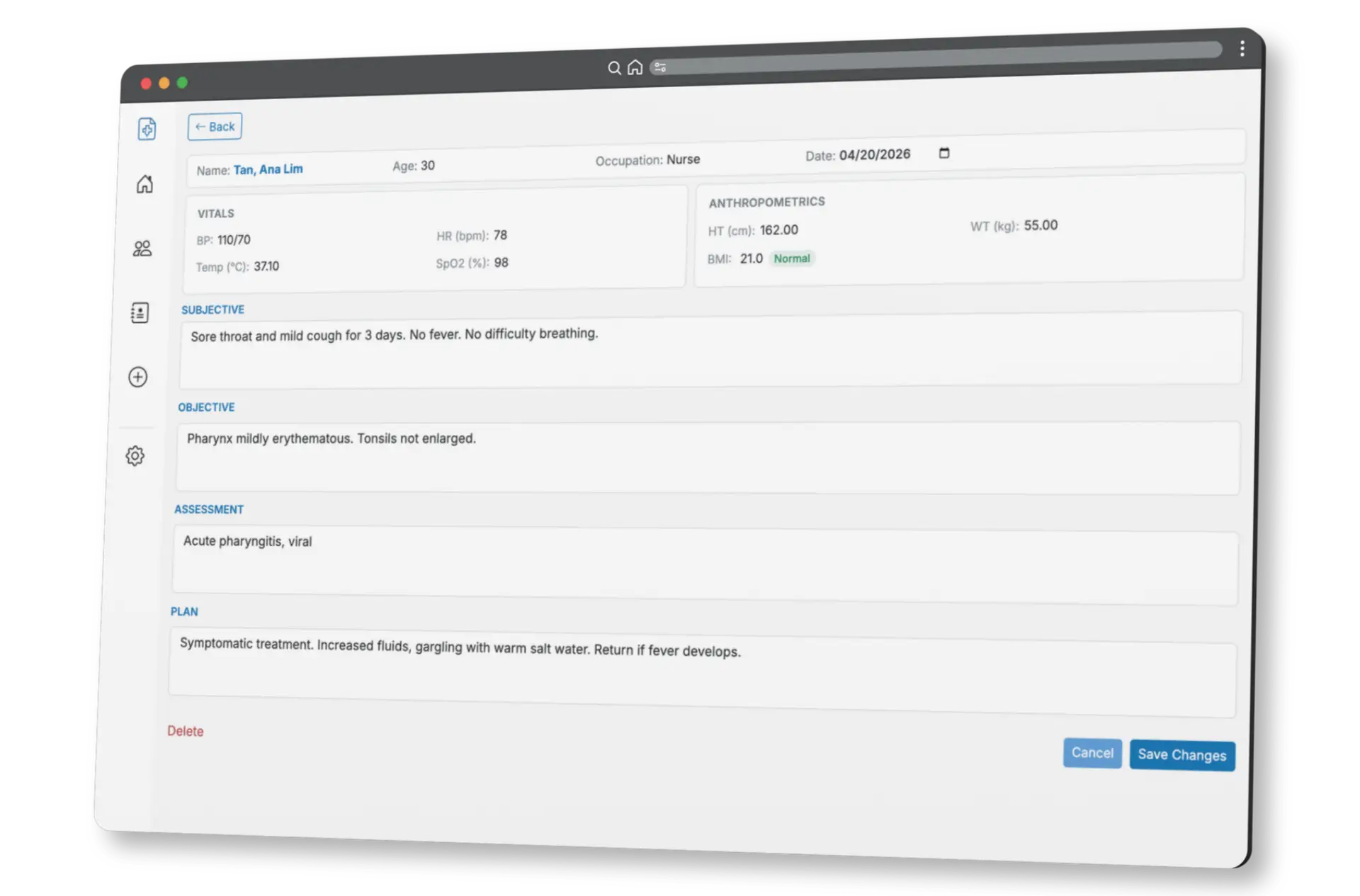
- Document the visit Vitals, anthropometrics and the clinical note on one screen, in the note format your clinic uses.
- Print before they leave e-Rx, medcerts and lab requests straight from the visit, ready to hand over before the patient goes.
Everything stays with the patient
Register the patient once. Visits, documents, files and results all stay attached to them.
Patient queue
Walk-ins and follow-ups in one list, searchable by name or number, with shared quick notes for the clinic.
Visits and notes
You choose SOAP or HPI when your clinic is set up, with past medical and social and family history fields if you use them.
Vitals and measurements
BP, HR, RR, temperature and SpO2, plus height, weight, waist and circumferences. BMI is computed for you.
Files and results
PDF, JPG, PNG, WEBP and HEIC. Snap a multi-page result page by page and they merge into one PDF.
Lab trends
Track the values you care about with units and reference ranges, one dated column per result.
Diagram annotation
Drop numbered markers on a diagram and type a note for each one. Saved with the visit.
Documents your patient takes home
Made from the visit, printed on your own letterhead — clinic name and hours, your PRC license and PTR numbers, and your signature.
e-Prescriptions
Search your drug catalog, write the Sig, quantity and dosing times, and check allergies before printing.
Medcerts
Standard, Surgical Clearance with risk stratification, PWD with NCDA category, and Treatment Plan.
Lab requests
Pick tests from your clinic catalog, grouped by category, with fasting and clinical remarks.
Doctor’s orders
A free-text order sheet on the same letterhead, watermark and banner as the rest.
DokTema EMR pricing for Philippine clinics
Your system is fully your own — no shared databases. Every plan comes with a 7-day free trial.
Basic
₱1,000
per month
For doctors starting to go paperless.
- Unlimited patient records and files
- SOAP or HPI notes
- Patient queueing
- Clinic-wide notes
- A secretary account, included
Full
₱1,500
per month
For doctors who want the full clinic workflow.
- Everything in Basic
- e-Rx with your own templates
- All four medcert templates
- Lab requests
- Drug and lab test catalogs
Add-on
More than one doctor?
Multi-doctor access is enabled for your clinic with a one-time fee. After that you stay on ₱1,500 a month, however many doctors you add — there is no per-doctor monthly charge.
- A separate login for each doctor
- Role-based access per user
- One shared clinic record
- Each doctor keeps their own letterhead
Need accounting and reports, multi-branch records, or online patient booking? Those are built as custom add-ons — ask for a quote.
Still comparing systems? Eleven questions worth asking any EMR vendor before you move your records.
Frequently asked questions
How much does DokTema EMR cost?
DokTema EMR is ₱1,000 a month for Basic and ₱1,500 for Full. Basic covers patient records, SOAP notes and queueing. Full adds e-Rx, medcerts and lab requests. If your clinic has more than one doctor, multi-doctor access is a one-time fee and you stay on ₱1,500 a month.
Do I need to install anything?
No. DokTema EMR runs in a web browser, so there is nothing to install or maintain on your clinic computers. You only need a device with a browser and an internet connection — desktop, laptop, tablet or phone.
Can my secretary use it?
Yes, and the account is included at no extra cost on every plan — a solo doctor still gets one. Your secretary manages the queue, registers patients, records visits and uploads files, but clinical notes are read-only on their side and they cannot create prescriptions, lab requests or certificates.
Is it connected to PhilHealth?
No. DokTema EMR does not connect to PhilHealth, Konsulta or eClaims. It is an internal clinic system for your records and documents — patient records, SOAP notes, prescriptions, medcerts and lab requests. PhilHealth filing stays a separate process.
What do I get during the free trial?
Your own clean instance, set up personally — not a shared demo. It comes with a few sample records so you can try the queue, the consultation screen and the printed documents before you enter any real patient data.